Screen Recorder Alternatives

A focused ScreenPal alternative for polished screen videos

ScreenPal combines recording, editing, hosting, AI, and learning tools. CANVID offers a focused path from screen capture to a smooth, presentation-ready video.
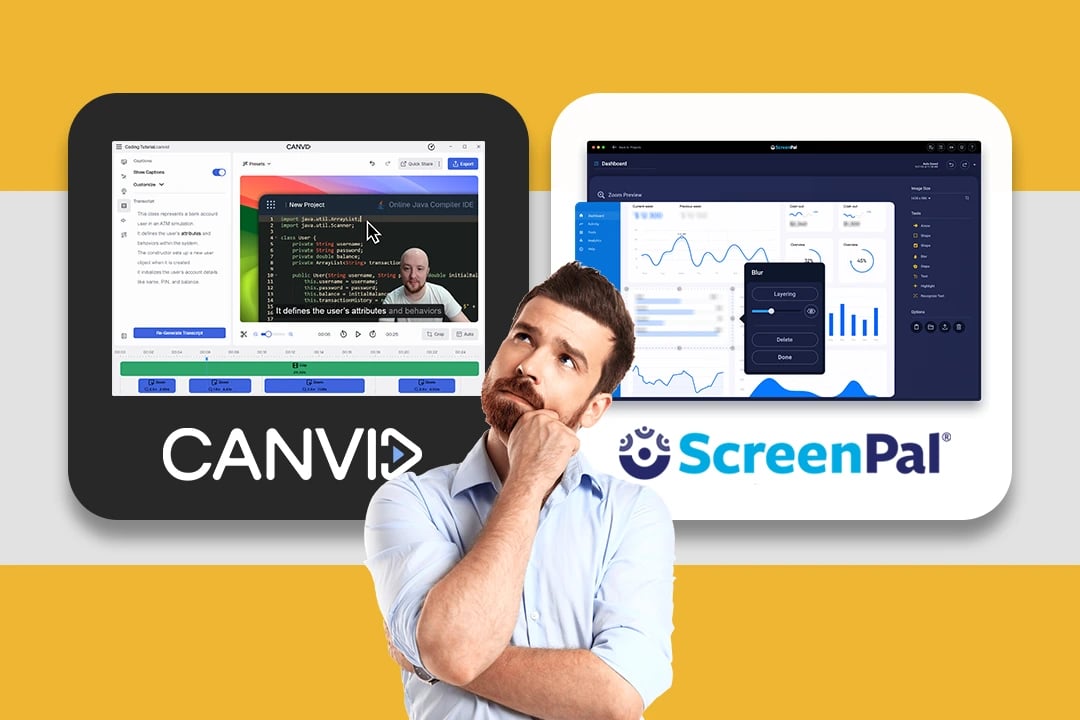
CANVID editor displaying a polished screen recording with a presenter and styled background

Quick verdict

Choose CANVID for polished product demos, tutorials, and marketing videos with automatic zooms, editable cursor treatment, reusable styles, and post-recording corrections. Choose ScreenPal for a generous free recorder, mobile or Chromebook creation, broad editing, hosted interactivity, analytics, or LMS workflows.

Which screen recorder fits your work?

Both record and edit on Windows. CANVID also supports Apple Silicon Macs running macOS 15 Sequoia or newer, while ScreenPal supports a wider range of Macs. Choose between focused polish and a broader video platform.
CANVID is best for
Creators who want polished screen-led videos in a focused editor.
  • Product demos, tutorials, support clips, and marketing videos
  • Automatic zooms with precise control over timing, framing, and cursor movement
  • Fixing spoken mistakes or camera presence after the recording
  • Reusing visual styles and owning the desktop editor with a one-time license
ScreenPal is best for
Educators and teams who want creation, hosting, and engagement together.
  • Video quizzes, polls, calls to action, audience insights, and heatmaps
  • Desktop, Chromebook, browser, iOS, and Android recording workflows
  • Storyboards, stock media, overlays, transitions, and multitrack audio editing
  • LMS integrations and managed team or education deployments

CANVID vs ScreenPal at a glance

Seven practical differences, with genuine strengths on both sides.

Editing approach

CANVID

Focused screen-video polish

Shape zooms, cursor motion, framing, camera, captions, and spoken corrections in one editor.

ScreenPal

Broad video production

Combine recording with timeline editing, stock media, overlays, narration, stories, and AI tools.
Creation platforms

CANVID

Windows and macOS

Use the desktop app on Windows or Apple Silicon Macs running macOS 15 Sequoia or newer.

ScreenPal

Desktop, web, and mobile

Create on Windows, Mac, Chromebook, browsers, iOS, and Android.

Zooms and cursor polish

CANVID

Automatic and editable

Generate zooms from clicks or cursor movement, then refine timing, focus, and cursor styling.

ScreenPal

Manual zoom tools

Zoom while recording or in the editor, alongside live annotations.

Transcript and AI editing

CANVID

Cut or replace speech

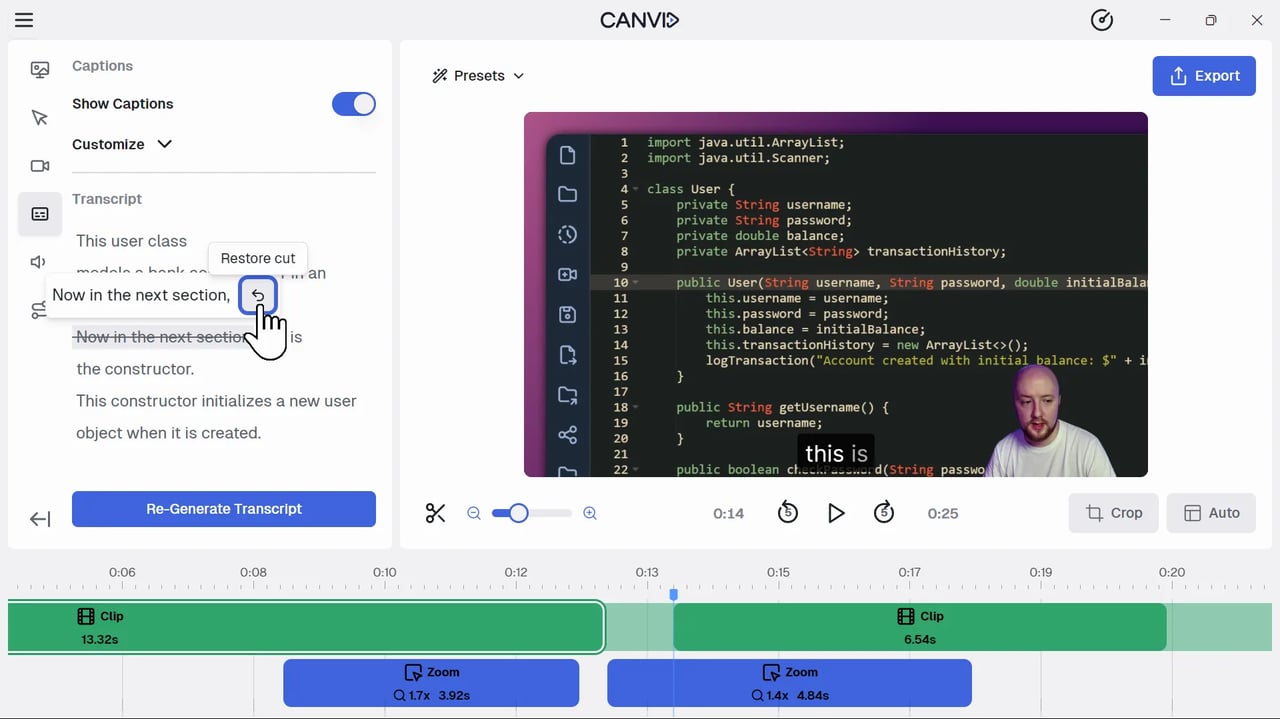
Remove selected transcript text, replace a spoken line, or generate a lip-synced webcam track.

ScreenPal

Text cleanup and generation

Higher tiers add text-based editing, filler-word removal, translation, narration, and generative tools.

Interactive learning

CANVID

Video creation only

CANVID does not include quizzes, polls, learning analytics, or LMS result syncing.

ScreenPal

Quizzes and analytics

Add questions and polls, review analytics, and connect learning platforms.

Export and sharing

CANVID

Up to 4K 60 fps

Export MP4 or GIF locally, or publish a view-only Quick Share link.

ScreenPal

Local files and hosting

Save locally, publish elsewhere, or host with ScreenPal; 4K hosting requires a higher tier.

Purchase model

CANVID

Subscription or one-time

Choose a subscription or a Desktop License with lifetime app access and updates.

ScreenPal

Free or subscription

A free tier includes 15-minute recordings; paid features use monthly or annual subscriptions.

Polish that guides attention

Turn the capture into a presentation-ready video

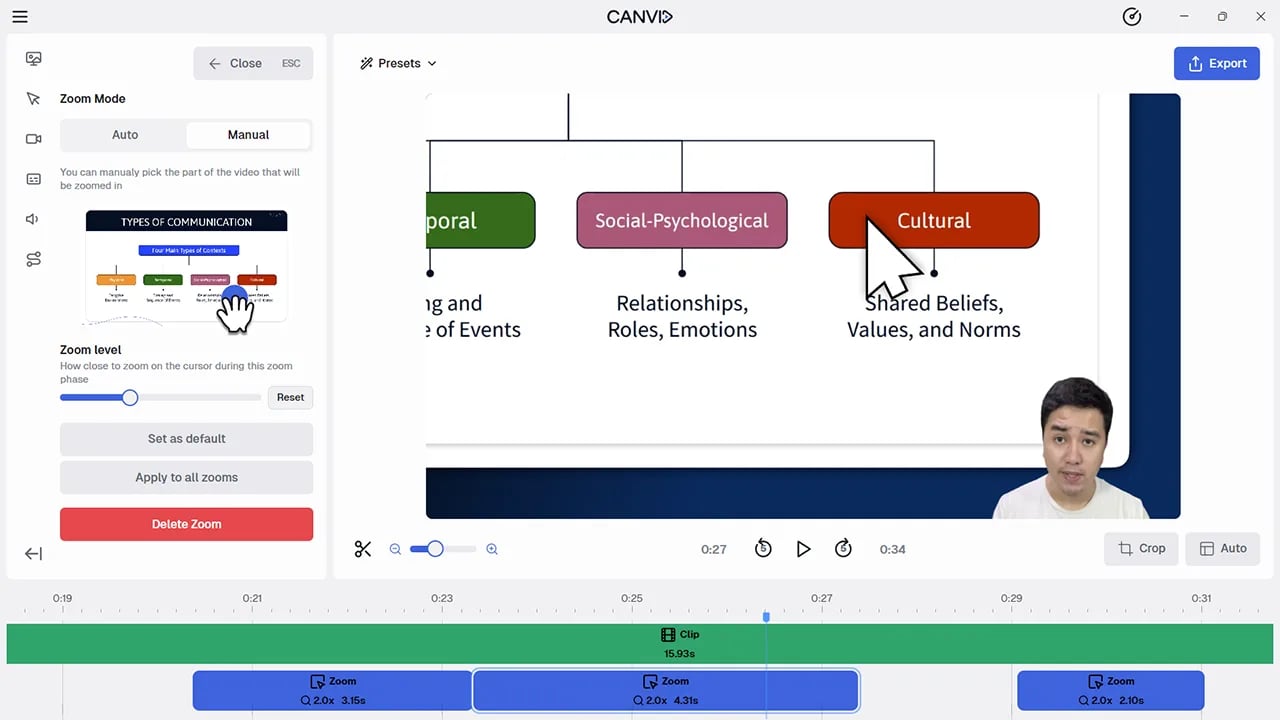
ScreenPal offers manual zooms while recording or editing. CANVID starts with automatic zoom and cursor polish, then lets you correct the framing and pace. Backgrounds, screen styling, camera layouts, and aspect ratios shape the result.
  • Edit the focus area, zoom level, duration, and timing of individual zooms
  • Preview cursor, camera, canvas, and motion changes
  • Export a polished local file up to 4K at 60 fps
CANVID manual zoom controls beside editable zoom segments on the video timeline
Fewer repeat takes

Correct the story after recording

ScreenPal offers broad editing and higher-tier AI cleanup. CANVID lets you remove selected speech, replace a line, or add a lip-synced AI Webcam track.
  • Navigate the timeline and cut video by selecting transcript text
  • Replace one spoken line with typed text or a fresh microphone take
  • Add camera presence after capture without recording the screen again
CANVID transcript editor showing a removed sentence and the option to restore it
Consistency without setup work

Reuse the look of every screen video

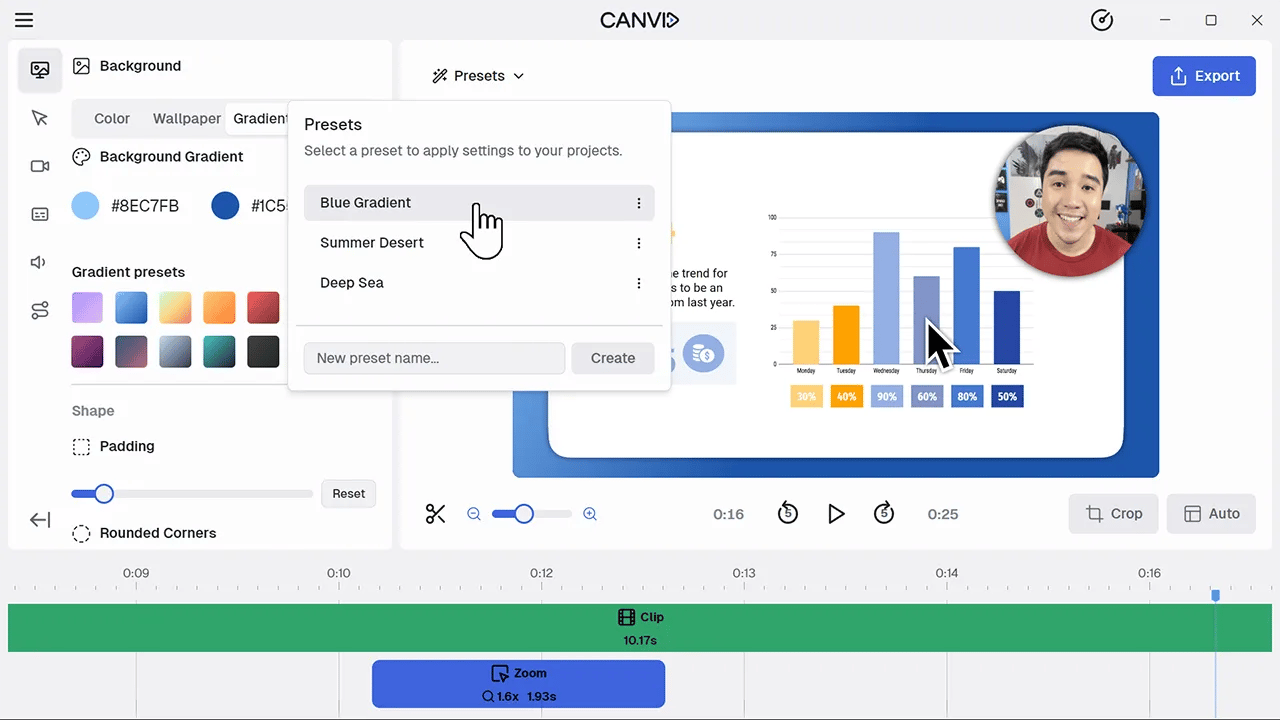
ScreenPal supports branded editing and players. CANVID saves camera, framing, background, cursor, caption, and zoom settings in portable presets for other projects or computers.
  • Save nearly all visual and editor settings in a reusable preset
  • Set a default or switch styles when a project opens
  • Share preset files with collaborators who use CANVID
CANVID editor showing saved presets beside camera and visual customization controls

A fair choice between focus and breadth

ScreenPal is more than an education recorder, and CANVID does not replace every part of its platform.
Know before choosing CANVID
  • CANVID does not offer native iOS, Android, Chromebook, or browser recording.
  • It does not include ScreenPal's quizzes, polls, heatmaps, audience insights, stock library, storyboards, or LMS integrations.
  • Exporting a CANVID project or creating a Quick Share link requires a paid plan.
Where ScreenPal stands out
  • Its free tier supports short recordings, basic editing, local saving, and hosting.
  • Its editor adds overlays, transitions, stock assets, multitrack audio, storyboards, and mobile creation.
  • Education and team plans combine interactive video, analytics, collaboration, administration, and integrations.

ScreenPal alternative FAQ

Answers about free use, editing, platforms, 4K output, education tools, and licensing.

Create a polished screen video with less production overhead

Record your screen, guide attention automatically, and refine the story before you export.
Download CANVID

Free to download. Create and edit before choosing a plan to export.

Compare another screen recorder

Screen Studio
Compare CANVID and Screen Studio for polished screen recordings, Windows support, automatic zooms, transcript editing, iPhone capture, and licensing.
Loom
Compare CANVID and Loom for screen recording, editing, team collaboration, local exports, platforms, and licensing.
FocuSee
Compare CANVID and FocuSee for automatic polish, post-recording editing, Windows and Mac support, mobile capture, exports, sharing, and licensing.