Generate AI Webcams
Give your videos a face even if you skipped the camera
Look Your Best, Every Time
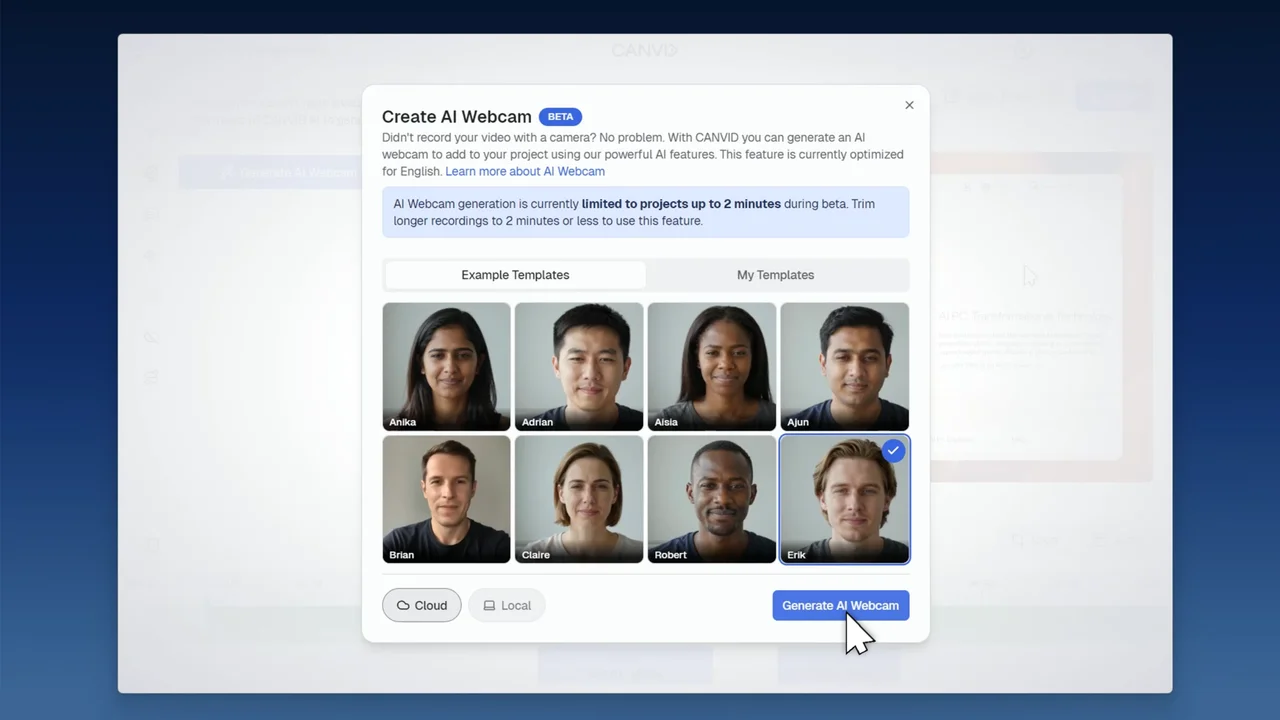
Whether you forgot to turn on your camera or simply weren’t feeling "camera-ready," AI Webcam ensures your project has a professional personal touch. By using AI to generate a natural, lip-synced clip after you record, you can maintain a strong connection with your audience without the need for stressful reshoots or perfect studio lighting
What is it?
AI Webcam is an AI-powered feature that generates a webcam video perfectly lip-synced to your existing audio. Choose an avatar you have already created or an example avatar to create a convincing video of someone speaking, making it look as though the camera and screen were recorded at the same time
Why Use It?
Adding a webcam to screen recordings is a great way to add a personal touch, but it usually requires a lot of preparation. This feature allows you to focus on your screen content while the AI handles your on-camera presence, saving you time when lighting is poor, your environment is messy, or you simply forgot to hit record on your camera